

How to choose an IT company in Regina
Comparing IT companies in Regina? What a small business needs, a checklist for choosing, questions to ask, contract terms to check and the red flags.
To choose an IT company in Regina, write down what your business needs first, then compare two or three providers on the same points: what their monthly plan covers, when and how their help desk works, how they protect and back up your data, and whether admin accounts stay in your company's name. Ask for references from businesses your size, and read the contract's exit terms before you sign. A provider that won't put those answers in writing is the one to drop.
This guide doesn't rank Regina IT companies. Some of the "best IT company" pages in search results are published by IT companies themselves, so they're a starting list at most. What follows is how to judge any provider on your shortlist, including us.
What an IT company does for a small business
"IT company" covers a lot of businesses. Some sell and repair hardware, some build software, some place IT staff, and some look after a company's technology for a monthly fee. For most small and mid-size businesses in Regina, the last group, usually called managed service providers, is the one to compare. Their work tends to include:
- A help desk your staff can call or email about logins, email, printers and software that won't open.
- Monitoring, updates and patching for computers and servers.
- Security: antivirus or endpoint protection, multi-factor authentication, email filtering and staff training against phishing.
- Backups of computers, servers and cloud data, with restores tested.
- Microsoft 365 or Google Workspace accounts, licences and file sharing.
- Office networks, firewalls and Wi-Fi.
- Setting up laptops and accounts for new hires and removing access when people leave.
- A yearly plan for what to replace, renew or improve.
Not every provider does all of it, and you may not need all of it. A five-person office running on Microsoft 365 needs different help from a clinic that keeps patient records.
Managed IT or pay-as-you-go support
Businesses buy IT support in two main ways. With pay-as-you-go support, often called break-fix, you call someone when something breaks and pay for the hours. It suits very small offices with simple setups, but nobody is checking updates, backups or security in between calls, and you find the gaps when something fails.
With managed IT, a provider looks after your systems for a monthly fee, usually priced per user or per device. Updates, monitoring and backups happen on a schedule, and the help desk is included up to the limits in the agreement. Costs are easier to predict. The catch is that "included" means different things at different companies, which is why the comparison below matters.
Some businesses with their own IT person use a provider only for the jobs that person can't cover, such as security tools, backups or holiday cover. Ask whether a provider offers that kind of shared arrangement if it fits your team.
How to compare IT companies, step by step
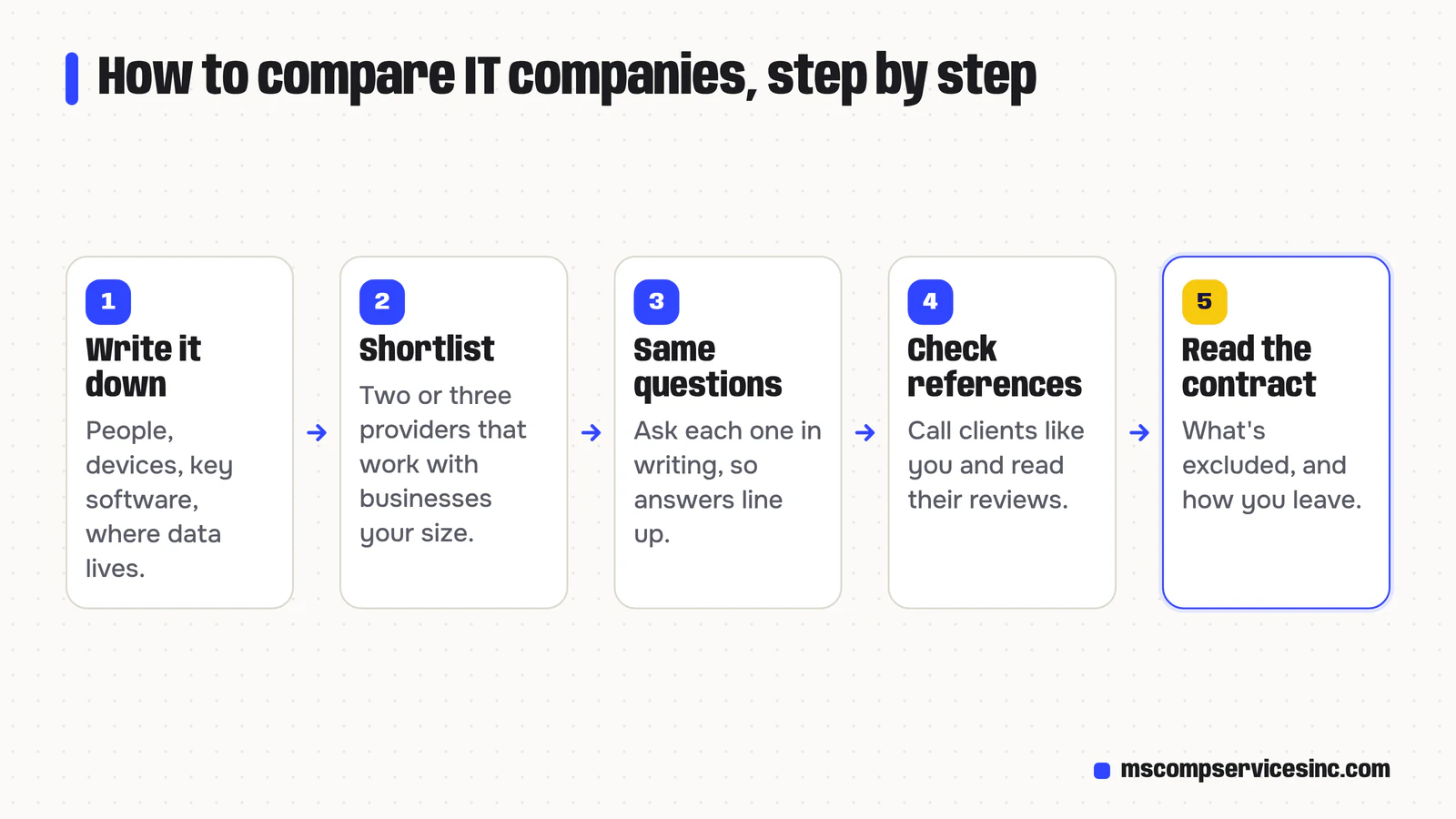
- Write down what you have and what you need: how many people and devices, the software you depend on, where your data lives, and what has gone wrong in the past year.
- Shortlist two or three providers that work with businesses your size and with your main systems.
- Ask each one the same questions, in writing, so the answers line up side by side.
- Call references from businesses like yours, and read their Google reviews.
- Read the agreement itself before you sign, especially what's excluded and how you leave.
A checklist for choosing an IT company in Regina
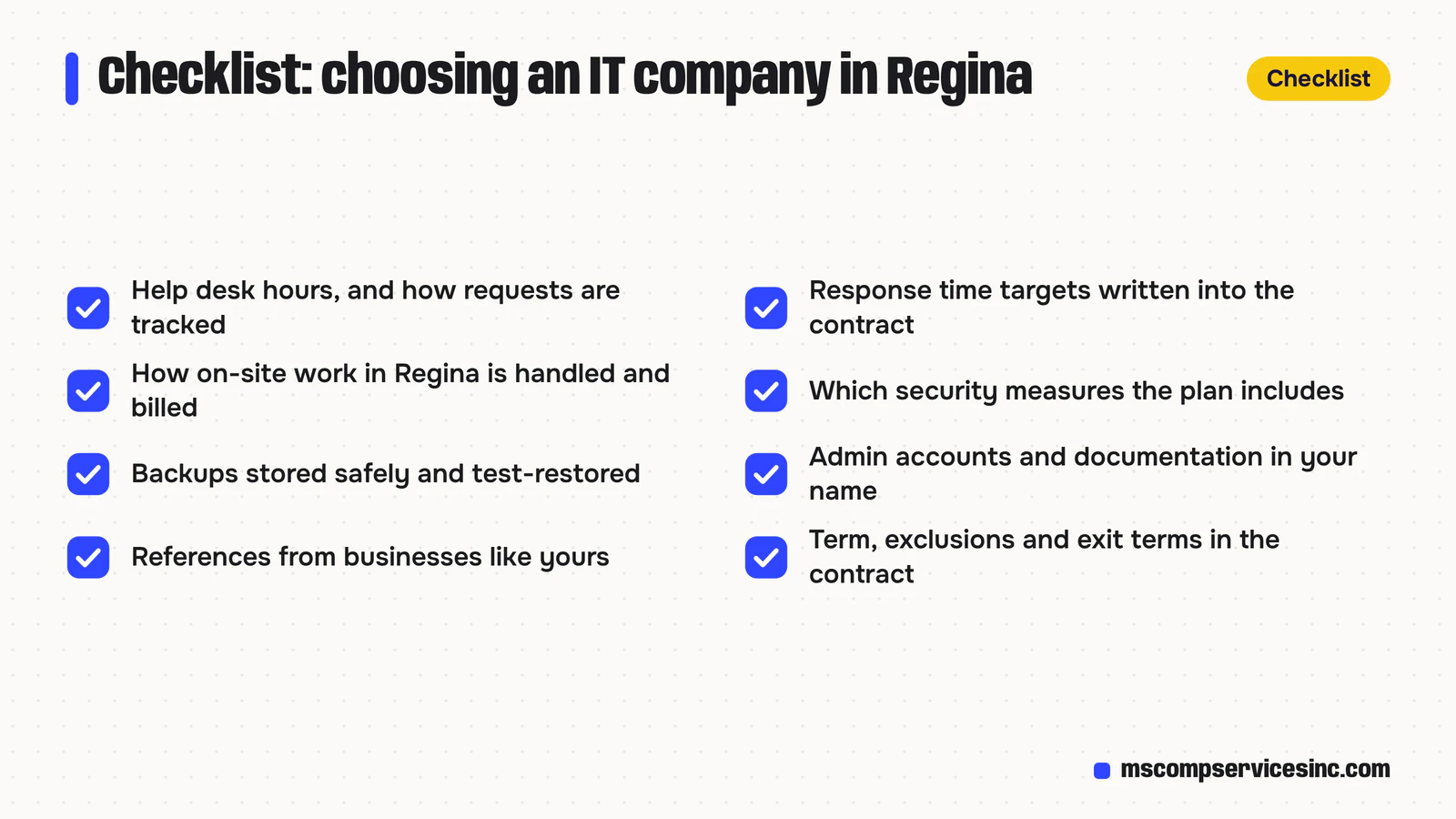
Support hours and how requests are handled
Ask when the help desk answers and what happens to a request sent at 7 p.m. on a Friday. Ask how requests are logged and tracked, and whether you can see the open tickets for your business. If your work runs on evenings or weekends, check whether the provider staffs those hours or only monitors systems then.
Response times, in writing
Many providers set target response times by priority, such as one for a whole office that can't work and a slower one for a single printer. Ask what the targets are, whether they're in the contract, and what happens when they're missed. A target response time isn't a fix time, so ask about both.
Local support
Most help desk work happens remotely, with the staff member approving a secure connection to their computer. Some jobs still need someone in the building: network cabling, a failed server, new equipment. Ask how a provider handles on-site work in Regina, who does it, and whether it's included or billed separately.
Security basics
Ask which security measures come with the plan and which cost extra. The baseline cyber security controls from the Canadian Centre for Cyber Security are a good yardstick for a small or mid-size organization: they include an incident response plan, automatic patching, security software on every device, backups, strong sign-in such as multi-factor authentication, and staff awareness training. A good provider can tell you which of those you already have and which you don't.
Backups that have been restored
Ask what gets backed up (computers, servers, Microsoft 365 or Google Workspace data), where the copies are stored, how long they're kept, and how often a restore is tested. Ask how long it would take to get a deleted folder back, and a whole server.
Documentation and admin access
Your domain, Microsoft 365 or Google Workspace tenant, firewall and backup accounts should be registered to your business, with admin access you can use without the provider. Ask whether you'll get a written record of your devices, accounts, licences and passwords, and how often it's updated.
When we take over from another IT provider, we start by writing down what the business already has: devices, accounts, licences, backups and admin passwords. If there's no documentation, building it is our first job.
References from businesses like yours
Ask for two clients in your industry or close to your size, and ask them what happened the last time something went badly wrong and how the provider handled it. Also check the provider has worked with the software you rely on, whether that's accounting, practice management, dispatch or point of sale.
Contract terms
Read the length of the term, the notice period, what the monthly fee includes, and what's billed by the hour. Then read the exit section, because it decides what you take with you if the relationship ends.
Questions to ask before you sign
- What exactly does the monthly fee cover, and what's billed separately?
- Is the price per user, per device, or a flat fee, and what happens when we hire?
- When does the help desk answer, and how do we reach it?
- What are your response time targets, and are they in the agreement?
- How do you handle work that needs someone on site in Regina?
- Which security measures are included, and which would you add for us?
- When did you last test a restore for a client, and how long did it take?
- Who holds the admin passwords, and do we get a copy of the documentation?
- Who will we deal with day to day, and who covers when they're away?
- If we leave, what do you hand over, and is there a fee for it?
- How do you protect our data and access our systems? In Canada, private businesses that handle personal information have obligations under PIPEDA, and your provider becomes part of how you meet them.
What to look for in the contract
IT agreements usually come in two parts: a master agreement with the general terms, and a schedule or statement of work listing what's covered. Read both. Check the term (month to month, one year, three years), the notice period to cancel, and whether the price can rise during the term. Look for a list of exclusions, such as projects, new equipment, after-hours work or software the provider didn't install. Make sure the agreement says what you get when it ends: your documentation, your passwords, your backups, and help moving to the next provider.
Red flags when hiring an IT company
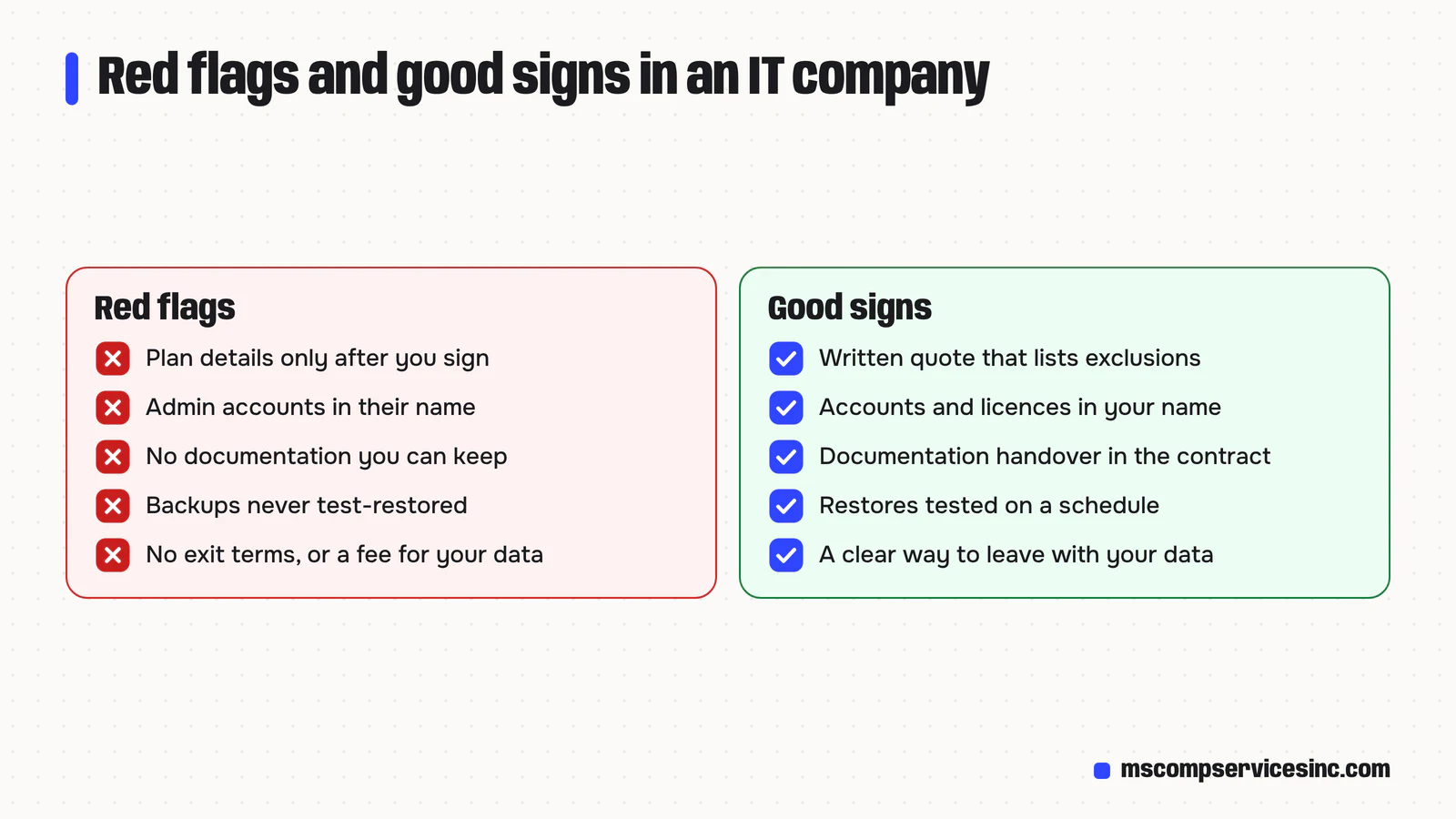
- They won't say what the monthly plan includes until you sign.
- Admin accounts, the domain or the licences are registered in their name, not yours.
- No written documentation of your systems, or none you're allowed to keep.
- Backups that have never been test-restored, or nobody can say when they last were.
- A long contract with no exit terms, or a large fee to get your own data back.
- Pressure to replace equipment that still works, before they've reviewed your setup.
- They can't give you a reference from a business like yours.
Good signs are the opposite: a written quote that lists exclusions, a documentation handover in the contract, and a provider that asks a lot of questions before it quotes.
Before we quote, we review your setup and send a written quote that lists what the monthly plan covers and what would be billed separately. We'd like you to compare that list line by line with the other quotes you get, not just the monthly total.
Does your IT company need to be in Regina?
Being in the same city helps when hardware fails, cabling needs running or a new office needs setting up, and a Regina provider knows the local internet options and the time zone you work in. Saskatchewan doesn't change its clocks, so a help desk in Toronto that closes at 5 p.m. Eastern closes at 3 p.m. in Regina for half the year.
Most day-to-day support happens remotely, though, wherever the provider sits. So treat location as one point on the checklist, alongside support hours, security and the contract.
Where MS Comp fits
MS Comp Services is an IT company based in Regina. Our IT services cover a help desk by phone and email, managed IT plans with monitoring, updates and patching, cybersecurity, backups, Microsoft 365 and Google Workspace, networks and Wi-Fi, and IT planning. The help desk works Monday to Friday during business hours, Regina time, and requests sent outside those hours are picked up the next business day. If your team needs someone answering at night or on weekends, ask any provider you consider, us included, how they'd cover it.
We also build custom software, websites and AI automation, so a business that wants one company for its IT and its software can have that. We don't publish fixed prices. After a short review of your setup, you get a written quote that lists what the monthly plan covers and what would be billed separately, and you're welcome to put every question above to us. Ask for a free quote.
Quick answers
How do I choose an IT company for my business?
List what you have and what you need, shortlist two or three providers that work with businesses your size, and ask each the same questions in writing: what the plan covers, support hours, response time targets, security, backups, who holds admin access, and how you leave. Then call their references and read the contract before signing.
What does a managed IT company do?
A managed IT company looks after your technology for a monthly fee. That usually means a help desk for your staff, monitoring and updates for computers and servers, backups, security tools, Microsoft 365 or Google Workspace management, and advice on what to replace or improve. What's included varies by provider, so ask for it in writing.
Is managed IT better than paying per call?
It depends on your setup. Paying per call can suit a very small office with simple systems. Managed IT suits businesses that rely on their computers every day, because updates, backups and security are handled on a schedule instead of after something breaks, and the monthly cost is easier to predict.
How much do IT services cost in Regina?
Providers usually price managed IT per user or per device each month, and bill projects, new equipment and some after-hours work separately. The total depends on your number of users and devices, your systems and the support level you need. Compare written quotes that list inclusions and exclusions rather than headline prices.
What should be in an IT support contract?
The term and notice period, what the monthly fee covers, a list of exclusions, response time targets, how data and access are protected, and what you get when the agreement ends: documentation, passwords, backups and help moving to a new provider.
Want help with this?
Tell us about your business and we'll send a free quote, or call 1-800-944-3688.